Profiling
Overview
X-HEEP supports performance profiling using the rv-profile Python package. This tool provides cycle-accurate profiling for RISC-V, allowing you to measure how many cycles each function consumes during RTL simulation.
The output is an interactive FlameGraph in .svg format, which you can open in
any web browser for analysis.
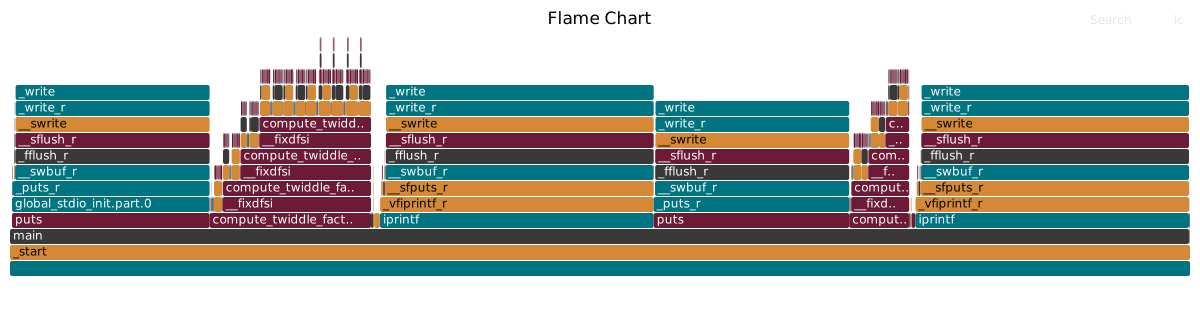
Currently, all cores supported by X-HEEP are compatible with rv-profile.
Profiling with rv-profile
Warning
Make sure the mcycle CSR is enabled; otherwise, profiling will not work.
To enable cycle counting in X-HEEP, add the following to your main.c:
#include "csr.h"

...

int main(...) {
    // Enable cycle counting
    CSR_CLEAR_BITS(CSR_REG_MCOUNTINHIBIT, 0x1);
    // Reset cycle counter
    CSR_WRITE(CSR_REG_MCYCLE, 0);
    ...
}
Steps to profile
Compile your target application.
Run the RTL simulation.
Generate the FlameGgraph with:
make profile
The FlameGraph will be saved at util/profile/flamegraph.svg.
Viewing the FlameGraph
To open the FlameGraph with a web browser (e.g., Firefox), run:
firefox util/profile/flamegraph.svg